
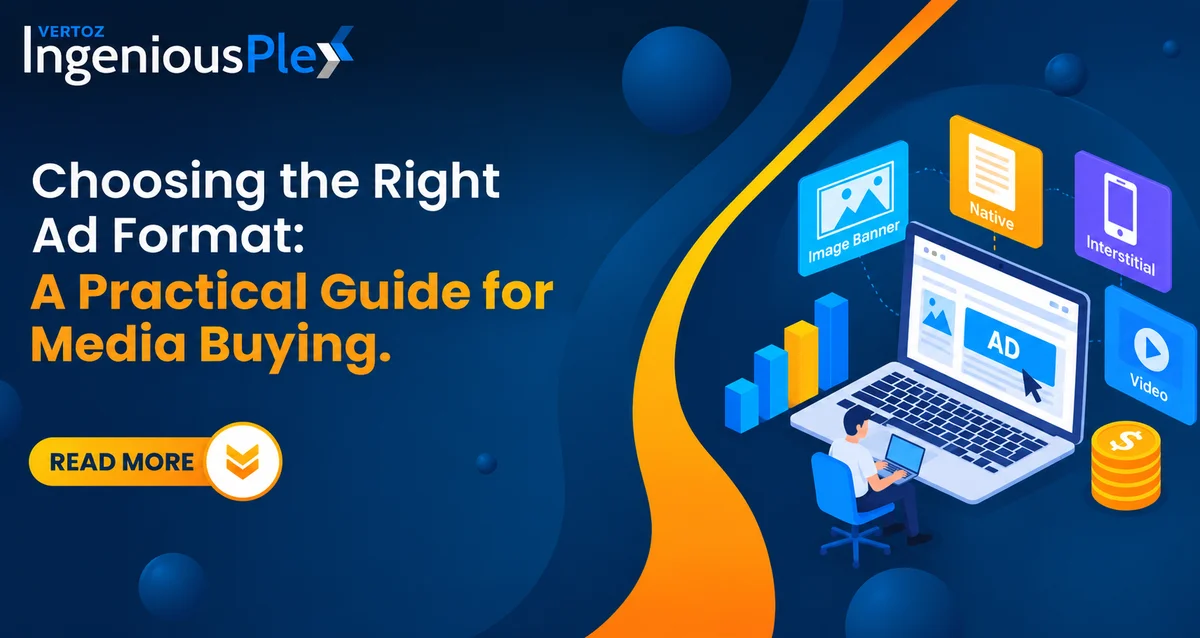
Ad format can affect campaign performance alongside the offer, audience, bid, creative and landing page. Choosing the right format starts with understanding your campaign objective and how each format supports it. Performance should be evaluated using meaningful outcomes, not format choice alone.
Picking an ad format is often treated as a creative call. In practice, it’s a performance decision. The same offer, audience and bid can produce very different results depending on whether the user sees a static banner, a native placement or a full-screen interstitial.
So, the question isn’t “Which ad format gets the most clicks?” It’s:
Which format gives this audience the right experience and moves them towards the goal?
What Is an Ad Format?
An ad format is the structure, layout and design of an advertisement that tells how the creative elements like text and visuals appears and how the audience can interact with it.
The most common advertising formats include:
- Image and banner ads
- Native ads
- Video ads
- Interstitial ads
- Carousel ads
- Interactive ads
- Rich media ads
- Push ads
- Pop ads
Each one sets a different stage for your message. The format you choose should match the campaign’s main goal.
Start With the Campaign Objective
Before comparing display ad formats, get clear on what the campaign needs to achieve:
- App installs
- Lead generation
- Brand awareness
- Retargeting past visitors
- Promoting a specific offer
- Driving qualified traffic
A new product that needs explaining calls for a format that can explain it quickly. A straightforward discount works better with something simple and direct.
Avoid choosing a format because it’s trending. The format should serve the objective, not the other way around.
Ad Formats at a Glance: Know the Difference
| Format | Best for | Main strength | Watch out for | Effort |
| Image ads | Offers, discounts, app features | Fast to build and test | Weak visuals get ignored | Low |
| Mobile banner ads | Steady reach, retargeting | Wide inventory, low cost | Banner blindness | Low |
| Native display ads | Content-led discovery | Feels natural, less disruptive | Needs relevant placement | Medium |
| Interstitial ads | Key moments, strong offers | High visibility | Bad timing frustrates users | Medium |
| Video display ads | Demos, storytelling, apps | Shows what text can’t | Costlier to produce | Medium to high |
| Interactive ads | Product exploration, engagement | Users participate | Needs planning and testing | High |
| Rich media ads | Immersive brand experiences | Combines multiple elements | Longer build time | High |
| Push ads | Re-engagement, time-sensitive offers, alerts | Direct reach to opted-in users | Notification fatigue | Low |
| Pop ads | Traffic volume, installs, direct-response offers | High visibility, scalable traffic | Traffic quality varies | Low to medium |
Image Ads: Simple, Flexible and Easy to Test
Image ads are one of the most practical formats in digital advertising. When your message can be understood visually, a strong static creative is hard to beat.
Best for:
- Promotions and discounts
- Product benefits
- App features
- Direct response offers
Why they work:
- Quick to produce
- Easy to rotate headlines, visuals, offers and CTAs
- Simple A/B testing with clear results
Keep in mind: a simple format doesn’t excuse simple thinking. If the value proposition is vague or the visual hierarchy is weak, even well-targeted image ads will struggle.
Native Ads: When Context Does the Work
The meaning of native ads is straightforward: ads designed to match the look, feel and flow of the environment they appear in, while staying clearly labelled as advertising.
Common native ad types:
- In-feed units
- Content recommendation widgets
- Promoted listings
Where native ad formats shine:
- Content-led acquisition
- Discovery campaigns
- Audiences already reading about a related topic
The key word is relevance. A well-matched placement feels like a natural next step rather than an interruption.
Interstitial Ads: High Visibility, Strategic Timing
Interstitial ads are the full screen ads that covers the page of a website or a mobile app. It takes over more of the screen than a banner or in-page ad unit. That makes them powerful when you need attention for a specific message or action.
Works well when:
- Shown at natural transitions, such as between levels, after an action or between pages
- The offer is clear and the close option is easy to find
Goes wrong when:
- It interrupts the user mid-task
- Clicks come from accidental taps rather than real interest
Look beyond CTR. Check engagement quality and what users do after the click.
Video Display Ads: Use Motion, Add Value
Video display ads shine when movement helps the message.
Good use cases:
- Demonstrating a product
- Showing how an app works
- Telling a short story that would need several static frames
The test: does motion improve the communication? If a five-second clip explains your benefit better than a still image, use it. If the message is “20% off, shop now,” A clean, well-designed image can communicate the message effectively while keeping creative production simple. However, media costs and acquisition costs depend on campaign performance, targeting, inventory and the conversion funnel..
Interactive Ads and Rich Media Ads
Some campaigns need more than a passive impression.
- Interactive ads invite users to tap, swipe, expand or explore.
- Rich media ads combine several creative elements into a more immersive experience.
Use them when:
- Interaction supports the goal, such as exploring features or trying a mini demo
- The extra engagement has a clear purpose
The trade-off: more planning, more build time, more testing.
Push and Pop Ads: Direct Reach at Scale
Place this section after “Interactive Ads and Rich Media Ads”.
Push and pop ads are built for direct response. They skip the page layout and put your message straight in front of the user.
- Push Ads: Push ads can refer to different delivery formats, so the definition should match the placement being discussed. Notification-based push ads are delivered as notifications to users who have opted in, and may appear on a device’s lock screen or in its notification area, depending on the device and settings. In-page push ads appear within a webpage and should not be described as device notifications or assumed to require the same opt-in process.
- Pop Ads: Pop ads open a new browser window or tab, or display a new page in response to a user action or page event. A pop-up appears over the current page, while a pop-under opens behind the active browser window and may be noticed later. These formats should not automatically be described as re-engagement ads for past visitors; that use depends on the campaign’s actual targeting and setup.
Best for:
- Re-engaging past visitors
- Time-sensitive offers and alerts
- Driving traffic and app installs
- Direct-response campaigns that need scale
Why they work:
- Quick to set up with minimal creative effort
- Strong visibility
- Easy to test different messages and offers
Keep in mind: both formats rely on relevance and frequency control. Too many notifications cause opt-outs, and poorly matched pop traffic can look good on clicks but weak on conversions. Check post-click quality, not just volume.
Mobile Needs Its Own Approach
Mobile isn’t just a smaller desktop. The screen is tighter, attention is quicker, and touch changes how people interact.
Whether you’re running mobile banner ads, a mobile native ad, an interstitial or a video placement, check these:
- Keep text readable on smaller screens.
- Use creative dimensions suited to the placement.
- Make the main message and call to action easy to identify.
- Ensure buttons and interactive elements are touch-friendly.
- Optimise creative assets for faster loading.
- Check that the ad suits its placement.
- Ensure the landing page works smoothly on mobile.
- Keep the offer consistent from the ad to the landing page.
The ad is only half the journey. The click-through experience needs to feel just as smooth.
How to Choose an Ad Format?
Run every campaign through these five checks:
- Objective: Awareness, engagement, traffic, leads or conversions?
- Audience: How do they consume content, and what fits that environment?
- Device: Desktop and mobile behave differently, so design for each.
- Placement: The same ad format can perform very differently across environments.
- Performance data: Test formats against each other and compare CTR, conversion rate, ROAS, engagement and post-click quality.
Build a Controlled Ad-Format Test
Before comparing ad formats, define what success means for the campaign and use a consistent testing process.
- Set the goal and primary KPI. Define the conversion event, such as a purchase, lead submission or app install. Choose one primary KPI, and use supporting metrics to understand performance.
- Set a budget cap and review window. Decide how much you can spend on each format and how long the test will run before reviewing results. Set a clear stop rule so spending does not continue without a meaningful signal.
- Keep the comparison fair. Keep the offer, GEO, device, audience, landing page and tracking setup as comparable as possible. Record any differences that could affect the outcome.
- Account for inventory differences. Report differences in available inventory, placements, reach or delivery between formats. These differences can affect results and should be considered when interpreting performance.
- Evaluate outcomes, not just clicks. Review qualified conversions and post-click quality alongside engagement metrics. Compare CPA or return on ad spend (ROAS) only when conversion tracking is reliable and the required revenue data is available.
CPC and CPM describe how you pay for media; conversions depend on the campaign and funnel.
Which Ad Format Should You Use?
If you need a quick answer, start here:
| If you need to… | Try |
| Test creative fast and cheaply | Image ads |
| Reach people reading related content | Native display ads |
| Land a time-sensitive offer at a natural pause | Interstitial ads |
| Demonstrate a product or app | Video display ads |
| Get users to explore or play | Interactive or rich media ads |
| Drive quick, direct traffic or re-engagement | Push or pop ads |
| Reach people on phones | Design mobile-first, whatever the format |
There is no universal winner. A direct-response offer may favour image ads, while a content-led campaign may suit native. Let your data decide.
Testing Ad Formats with IngeniousPlex
IngeniousPlex is a performance media buying DSP built for programmatic campaign execution. It gives advertisers and media buyers access to a range of formats and environments within a single buying workflow.
That means you can:
- Test multiple formats side by side
- Weigh format alongside targeting, inventory and bidding
- Keep control over where and how your inventory is bought as you scale
Final Thoughts
The right ad format isn’t the most sophisticated one. It’s the one that puts your message in front of the right person at the right moment.
Pick a format with a clear reason, test it against an alternative, and keep refining. That habit will do more for your results than chasing any trend.
Planning your next campaign? Share your campaign objective, target GEO, device, offer and conversion event with the IngeniousPlex team to discuss a suitable ad-format test.
FAQs
1. What is an ad format?
An ad format is the structure and presentation of an advertisement: how the creative looks and how users interact with it. Common examples include image ads, native ads, video, interstitials, interactive ads and rich media.
2. What is the native ad meaning, and what are the common native ad types?
The native ad meaning: an ad designed to match the look and feel of the page or app where it appears, while being clearly labelled as advertising. Common native ad types are in-feed ads, recommendation widgets and promoted listings.
3. When should I use interstitial ads?
Use interstitial ads at natural transition points, such as between app levels or after a completed action. They provide prominent, full-screen visibility for time-sensitive offers, but showing them mid-task can lead to accidental clicks and frustrated users.
4. Which is better: image ads or video display ads?
Neither wins every time. Image ads are faster to build and test and suit simple offers. Video display ads work better for demos and explanations. Test both and compare CTR, conversion rate and CPA.
5. What should I consider for mobile banner ads and mobile native ads?
Design for the small screen first: a readable message, correctly sized creatives and fast loading. A mobile native ad should blend into the feed, while mobile banner ads need a clear visual and strong CTA. Make sure the landing page is mobile-friendly too.